Update to the Central Heating System
This describes an update which uses ESP8266 as remote sensors and removing Google calendar.
Main processes interaction in the PiThermostat code.
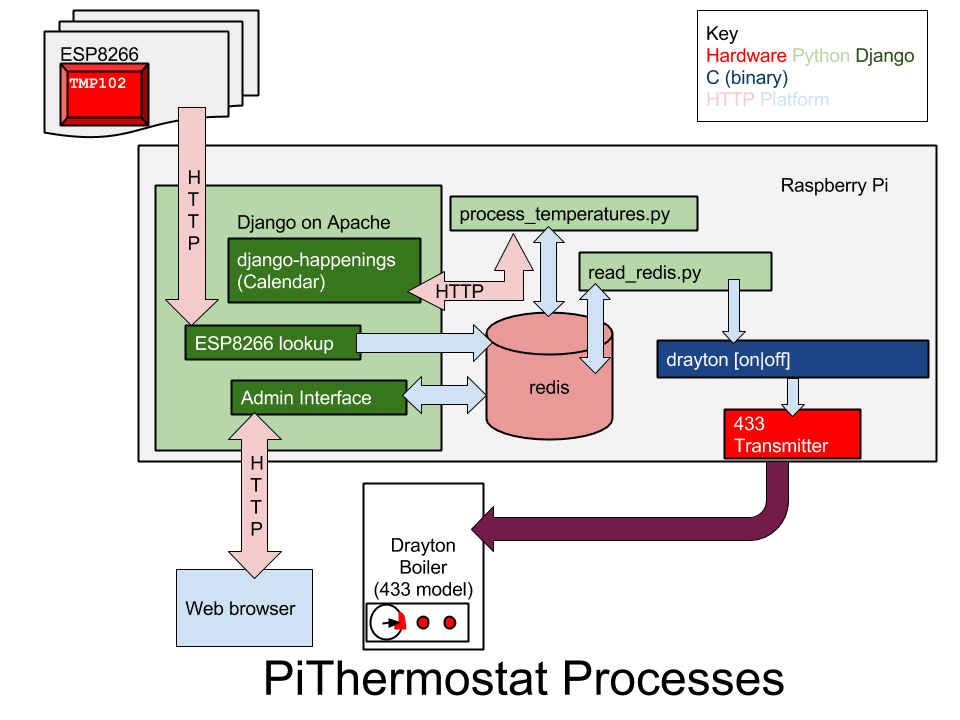
Software stack central heating system
We have recently updated the Raspberry Pi based Thermostat as discussed in previous posts and shown in a YouTube video. The idea is to move away from using multiple Raspberry Pis as networked temperature sensors, but use one central Raspberry Pi and serveral ESP8266s instead. This can bring the price down to £6 if buying generic ESP8266s. The ESP8266 connects via WiFi to Django running on a central Raspberry Pi performing an HTTP request with the temperature and it’s MAC address. The MAC is translated into a named temperature sensor reflecting the room location (e.g Attic/Living Room/Cellar) and given a weighting based on how important the room is deemed to be (cellar would be 1, a living room would be 5).
Django interface for adding ESP8266s. Multiplier is the weighting for the weighted mean calculation, Location is inside or outside and changes only the appropriate weighted mean and the ExpiryTime is how long a temperature reading will last in the weighted mean calculation without an update. If the battery were to go flat on Goliath, then 1 hour after the last reading Goliath would be dropped from both the weighted mean calculation and the front end display.
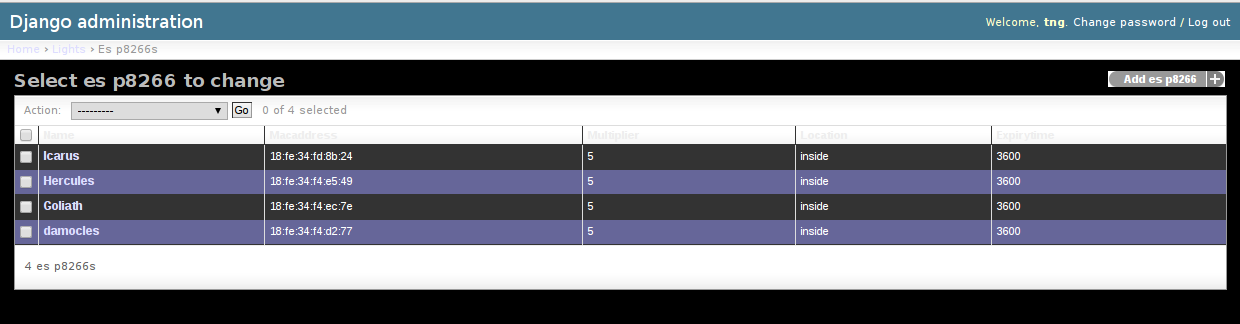
Django temperature sensor modification
Raspberry Pi with TMP102 mounted (4 wires going to the right angled header at the back of the board). The generic 433MHz sender board is the red unit with the vertical yellow 15cm aerial .
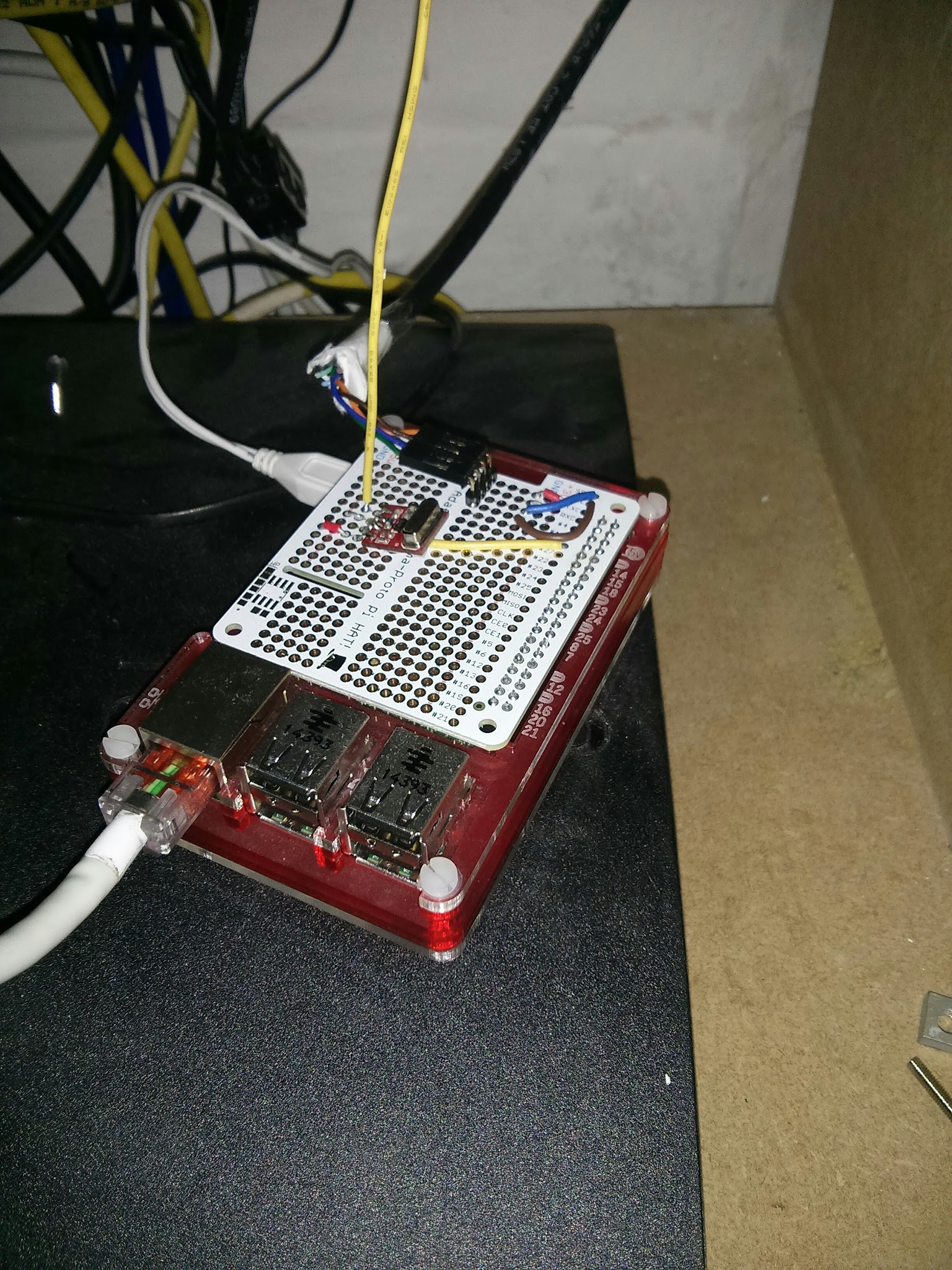
RPi with TMP102 mounted
The code is available from https://github.com/tommybobbins/PiThermostat.The Raspberry Pi itself has been moved to a generic 433MHz transmitter as Noisepower are no longer producing boards. Code for the 433MHz transmitter is available from Github. Google Calendar is no longer used as the calendaring mechanism - Django happenings is used instead.
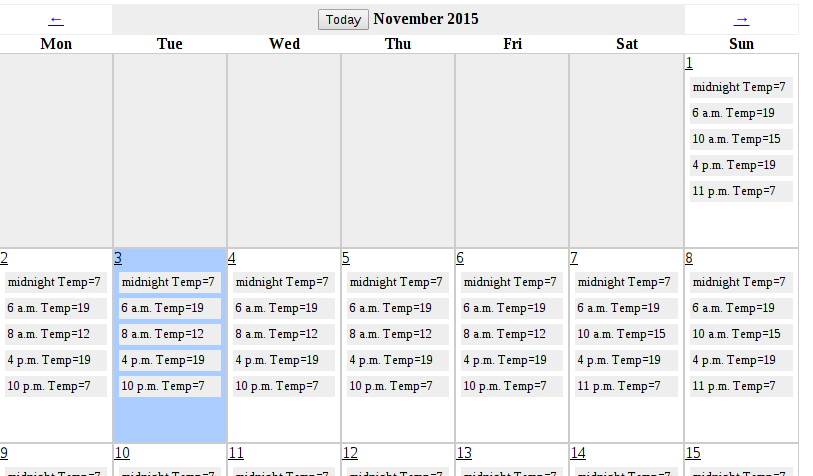
Django calendar
django-happenings based calendar. Each time period during a 24 hour window is assigned a Temperature. If there is no user override, then the Required Temperature will be taken from this calendar.
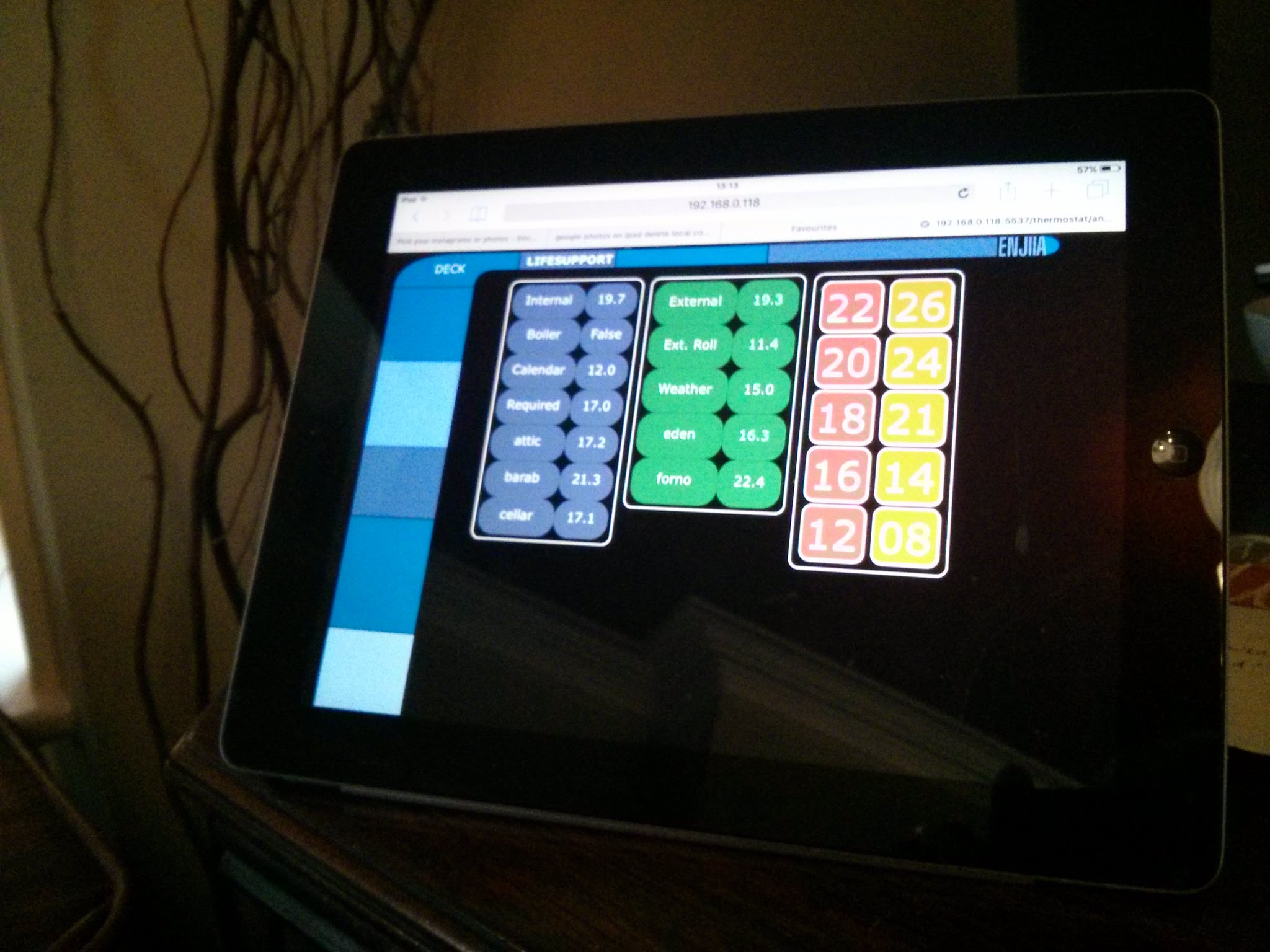
Application running on iPad
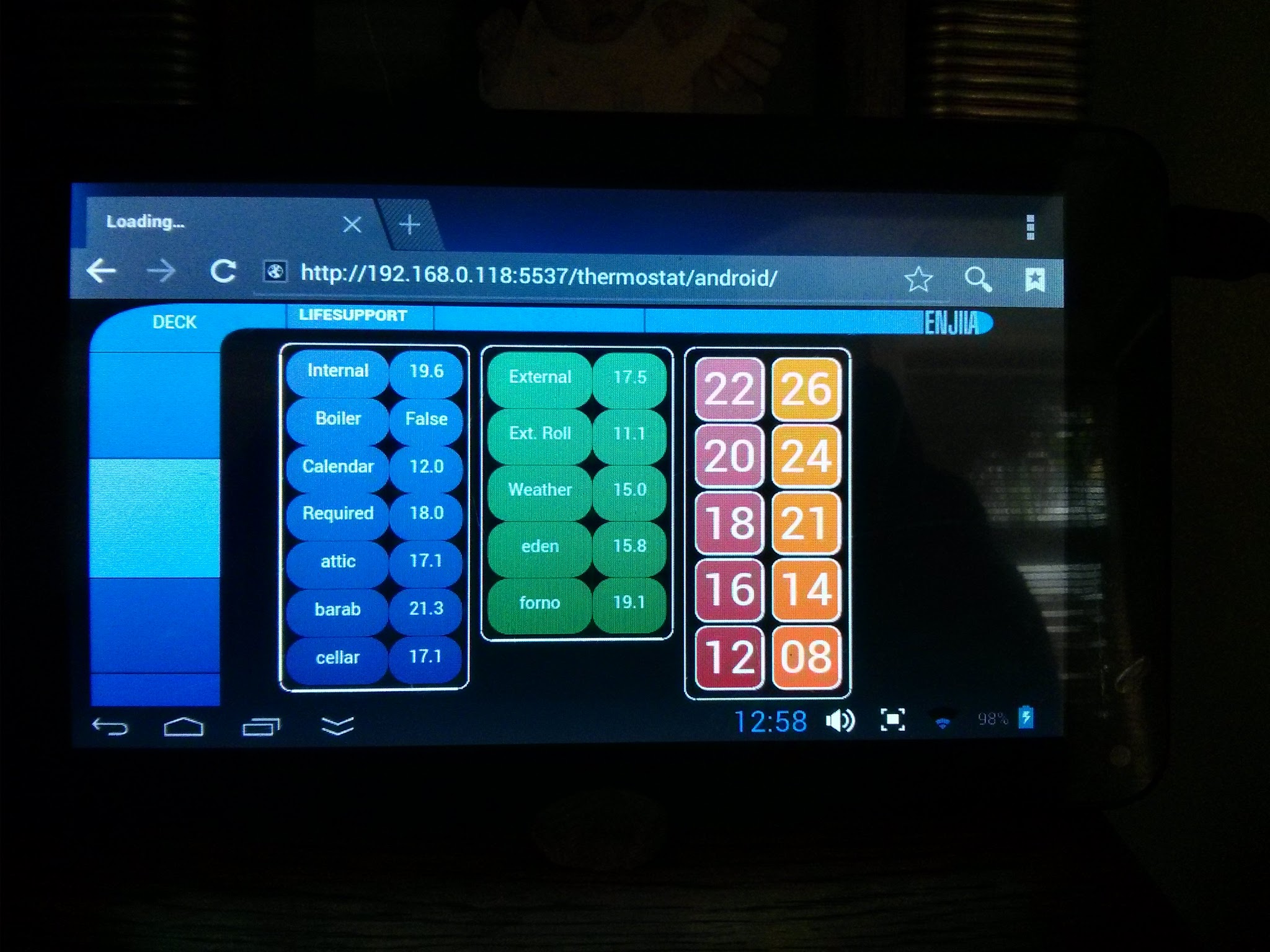
Application running on Android
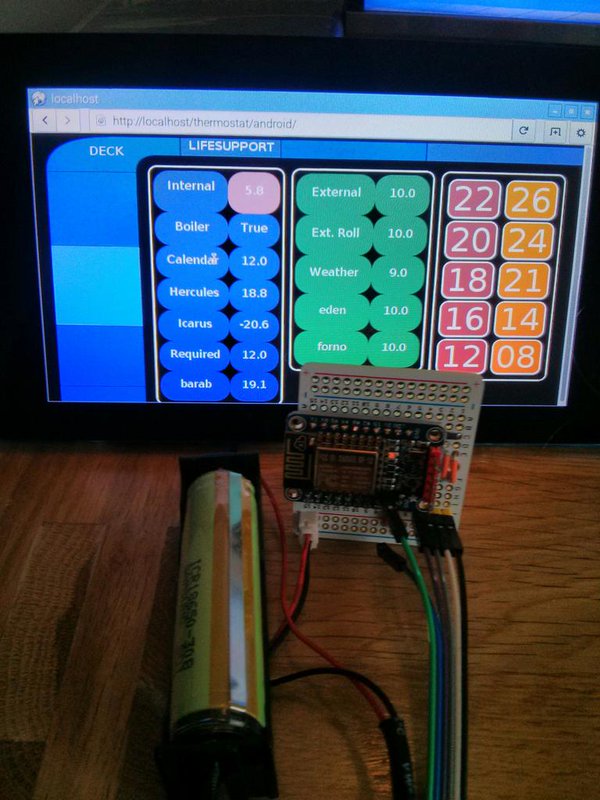
ESP8266 and TMP102
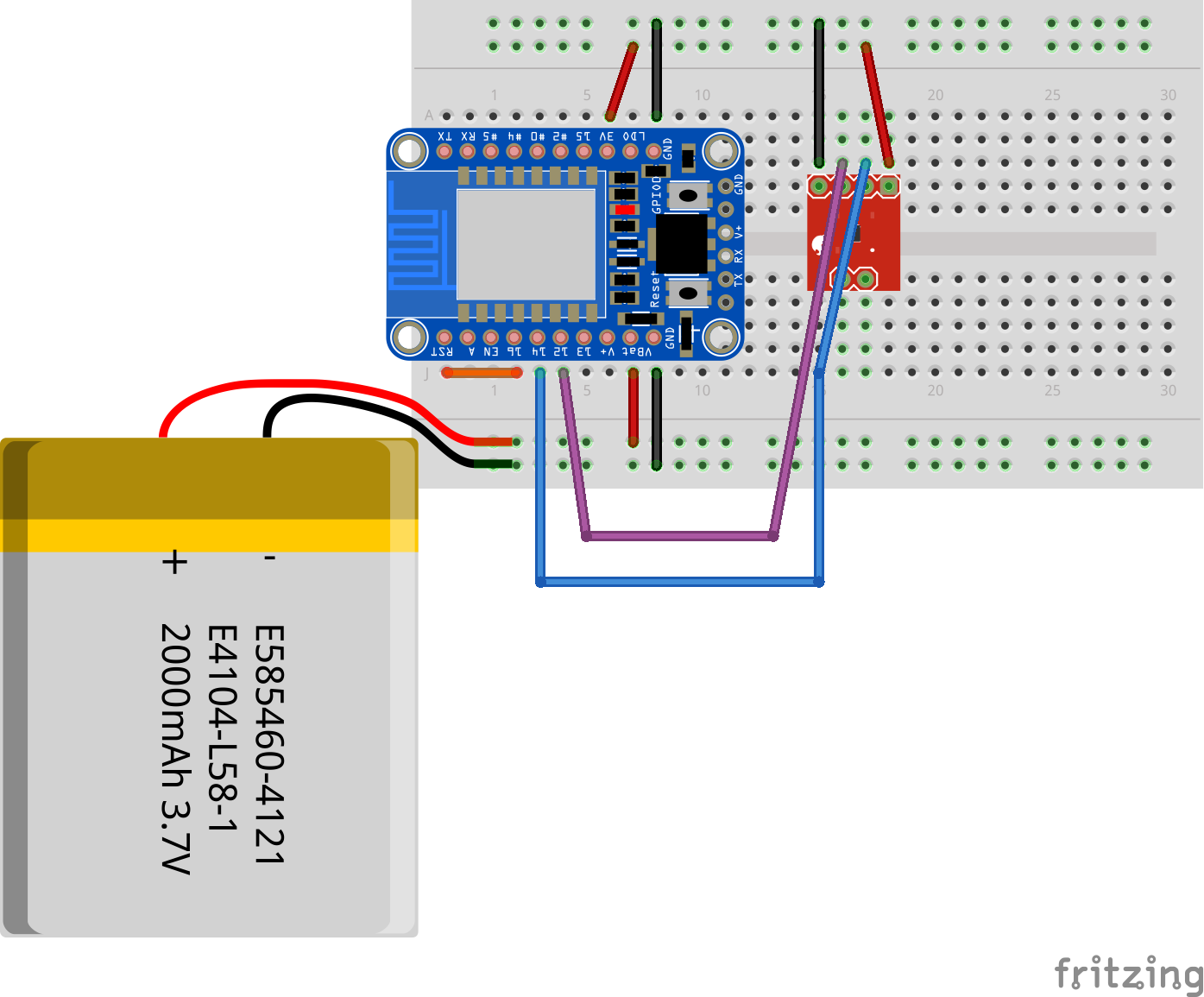
ESP8266 and TMP102
By bringing the price to monitor a room down to a reasonable value, multiple rooms will be able to be monitored cheaply. The front and back end code has been updated to allow sensors to appear and disappear randomly. For example the Internal/External weighted mean values are generated based on the total number of sensors found in that particular iteration.
During the simple setup, each sensor has to be assigned a weighting and this is easily performed via Django. As a sensor reports into Django/Redis, the weighted mean is adjusted (via process_temperatures.py) and the interface displays the calculated value. Should a sensor not exist, then redis will expire that sensor value after one hour (configurable in the Django setup as shown) and the now historic values will not be used for the weighted mean. This means that an individual sensor is entirely expendable. Once the battery is flat and then gets recharged it then performs it’s first HTTP request and will automatically get re-added into the weighted mean.
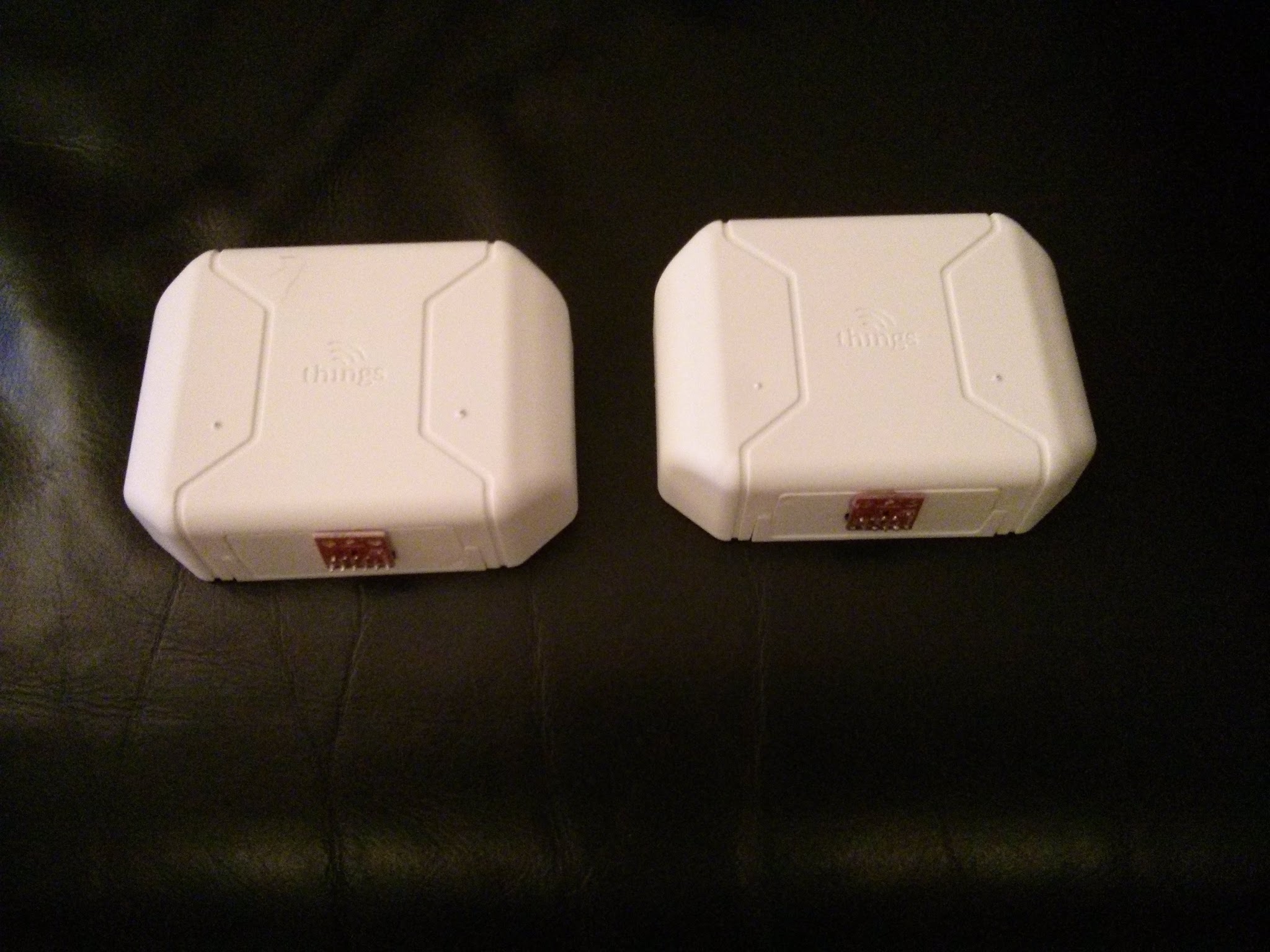
ESP8266 and TMP102 inside a wireless things case